
Printable worksheet
Relative Major and Minor Worksheet (Printable, with Answers)
Free printable relative major and minor worksheet: name the relative key, read key signatures, or write the scale. Three levels, answers included.
Relative Major and Minor Worksheet (Printable, with Answers)
Sheet #
Name Date Score /
Answer key
Relative Major and Minor Worksheet (Printable, with Answers) · Sheet #
About the Relative Major and Minor Worksheet
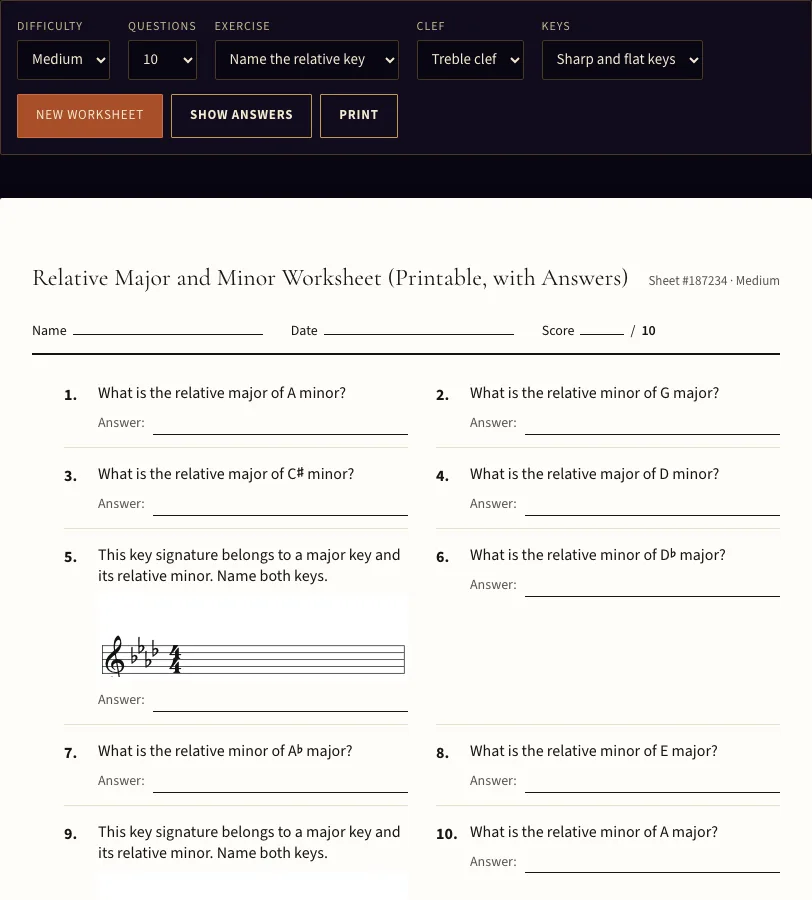
This free worksheet gives you printable practice in finding relative major and minor keys, with an answer key on a separate page. Each question asks you to name a relative key or write a relative scale, and it runs in your web browser with no sign-up.
You choose how hard the sheet is, how many questions it has, and whether it uses sharp keys, flat keys or both. Nothing you enter is uploaded. The sheet appears on the page as soon as you generate it, so you can check your work or print a copy for a lesson. Print the sheets for students, or include them in a product you sell, such as an Etsy download or a KDP book; no credit is required.
How to use the Relative Major and Minor Worksheet
- Choose a Difficulty: Easy, Medium (the default) or Hard. Each level includes keys up to a set number of sharps or flats.
- Set Questions to 10 (the default) or 20.
- Pick an Exercise: “Name the relative key” (the default), “Write the relative scale” or “Mixed”.
- Pick a Clef: Treble clef (the default) or Bass clef. This matters for the writing questions.
- Pick Keys: Sharp and flat keys (the default), Sharp keys only or Flat keys only.
- Click New worksheet to generate the sheet. The header shows the sheet number and difficulty.
- Write your name, the date and your score in the Name, Date and Score lines.
- Click Show answers to check your work, and Hide answers to hide them again.
- Click Print when you are ready.
To get the exact same sheet again, keep the address bar values: the seed, difficulty, count, task, clef and keys settings. Print sends only the sheet itself. The questions appear in two columns with their staves, and the answer key starts on a new page. Answers never appear on the question page.
Start with “Name the relative key” on Easy, which uses keys with up to three sharps or flats, then move to “Write the relative scale” in the clef your students read. The writing questions give the key signature, so the task is finding the right tonic.
What are relative major and minor keys#
Relative major and minor keys are a major key and a minor key that use exactly the same key signature. Every major key has one relative minor, and every minor key has one relative major. The two keys differ only in their tonic, the note the music settles on.
To find the relative minor of a major key, count down a minor third from the major tonic: three semitones, spanning three letter names (C, B, A). This note is the 6th degree of the major scale. C major gives A minor, G major gives E minor, E♭ major gives C minor, and A major gives F♯ minor.
To find the relative major of a minor key, count up a minor third from the minor tonic. This note is the 3rd degree of the natural minor scale. D minor gives F major, E minor gives G major, and B♭ minor gives D♭ major.
The writing questions use the same idea. You are asked to write the natural minor scale that belongs to a major key, or the major scale that belongs to a minor key. Only natural minor appears on this sheet. Harmonic and melodic minor are not asked.
Do relative keys share the same key signature#
Yes. Relative keys always share the same key signature, so the sharps or flats drawn at the start of the staff are identical for both keys. Only the tonic changes.
To read a key signature with sharps, look at the last sharp. It is the leading tone of the major key, so the major tonic sits a half step above it. Three sharps (F♯, C♯, G♯) mean A major, with F♯ minor as its relative minor.
To read a key signature with flats, look at the second-to-last flat. It names the major key. Two flats (B♭, E♭) name B♭ major, and its relative minor is G minor. One flat means F major, with D minor as its relative minor.
With no sharps or flats, the keys are C major and A minor.
Frequently asked questions
Is it free and does it need an account?
Can I print it with the answers?
Can I use these relative major and minor worksheets in a product I sell?
What do the difficulty levels change?
Why does an Easy sheet sometimes include keys with more sharps or flats?
Can I get the same sheet again?
Updated